"Why does a dating app need access to my Facebook?"
If you've ever wondered this while signing up for a dating app, you're not alone.
Most dating apps in India — Tinder, Bumble, Hinge — push you to sign up with Facebook or Google. They say it's for "verification" or to "help you find friends."
But here's what they don't tell you:
- Your dating profile can appear in your Facebook friends' feeds
- Your colleagues might see you on the app
- Your relatives could stumble upon your profile
- The app gets access to your social media data
For many Indians, this is a deal-breaker. Dating is personal. You should be able to explore connections without your entire social circle knowing about it.
The good news? There ARE dating apps where you can sign up without Facebook, Google, or any social media.
In this comprehensive guide, I'll show you:
- Which dating apps in India don't require social media login
- How to stay anonymous while dating
- Why privacy matters (and which apps actually protect it)
- How to date safely without linking your social accounts
Let's start with why the "login with Facebook" model is problematic.
Why "Login with Facebook" is a Privacy Nightmare
When you sign up for a dating app with Facebook, here's what happens:
1. The App Gets Access to Your Facebook Data
What they can see:- Your full name
- Profile photo
- Email address
- Birthday
- Friends list
- Likes and interests
- Photos you've posted
- Where you went to school/work
What they say they do with it: "We use this to verify you're real and help you find friends!" What they actually do: Build a detailed profile of you to sell better targeted ads and potentially share with third parties.2. You Risk Appearing in Friends' Feeds
Many apps (especially older versions of Tinder) would notify your Facebook friends when you joined. Even if they don't notify anymore, mutual friends can still see you on the app.
Real story:> "I signed up for Tinder with Facebook. Two days later, my cousin messaged me: 'I saw you on Tinder!' So awkward. I'm 28, single, and allowed to date, but I didn't want my whole family knowing." - Anonymous user
3. Your Coworkers Might Find You
If you have colleagues on Facebook, and you sign up with Facebook, there's a chance they'll see you on the app (especially if they're using it too).
Real story:> "Matched with someone on Hinge. We chatted for a week. Then I realized... it's my boss's son. I had to delete my account. If I'd used an app without social media login, this wouldn't have happened." - Anjali, 30, Mumbai
4. Dating Apps Can Track You Across the Web
When you sign up with Facebook, you create a link between your dating profile and your broader online identity.
This means:
- Dating apps can track your behavior on other websites (via Facebook Pixel)
- They can show you ads based on your dating activity
- Your dating preferences can be shared with advertisers
Example: Ever noticed Amazon showing you couple products after you start using dating apps? That's cross-platform tracking.Dating Apps in India That Don't Require Social Media Login
Here are apps where you can sign up with JUST a phone number (no Facebook/Google):
1. TrueBondr (Best for Privacy + Features)
How to sign up: Phone number only Verification: Selfie photo verification (confirms you're real, doesn't link to social media) Privacy features:- Hide from specific people
- Hide from Facebook friends
- No social media access required
- Incognito mode (coming soon)
Why it's great:- You can date completely anonymously
- Your profile is separate from your social media
- Only people you match with know you're on the app
- 100% free
Best for: Anyone who wants genuine privacy while dating.2. OkCupid (Phone or Email)
How to sign up: Phone number OR email (no Facebook required) Privacy: Decent. You can control who sees you. Cons: Some features locked behind paywall. Best for: People who want a well-established app without social media login.3. Coffee Meets Bagel (Email)
How to sign up: Email or phone Privacy: Good privacy controls Cons: Smaller user base in India Best for: People who want curated matches (not endless swiping).4. Aisle (Phone Number)
How to sign up: Phone number Privacy: Focused on serious dating, privacy-conscious Cons: Premium features cost money Best for: People looking for serious relationships, not casual dating.Apps That REQUIRE Social Media (Avoid if You Want Privacy)
- Tinder: Forces Facebook login (you can use phone number, but profile quality suffers)
- Bumble: Heavily pushes Facebook login
- Hinge: Designed around Facebook connections
If privacy is your priority, avoid these unless you're comfortable linking your dating life to your social media.
How to Stay Completely Anonymous While Dating
Even on apps that don't require social media login, you should take steps to protect your privacy:
1. Use a Separate Phone Number (Optional but Safest)
Get a second SIM card just for dating apps. This way:
- Your dating activity stays separate from your main number
- If someone from the app has your number, they can't find your WhatsApp/Instagram through it
- You can abandon the number later if needed
Alternative: Use services like Google Voice (US) or similar virtual number services.2. Don't Use Your Full Name
Instead of "Priya Sharma," use "Priya S." or just "Priya."
This makes it harder for people to:
- Google you
- Find your social media profiles
- Look you up on LinkedIn
You can reveal your full name once you trust someone, not before.
3. Choose Photos That Aren't on Your Social Media
Don't upload your Instagram photos to your dating profile.
Why? Reverse image search.
Anyone can take your photo, run it through Google Reverse Image Search, and find your Instagram/Facebook if that photo is posted there.
Solution:- Take NEW photos specifically for your dating profile
- Or use photos you've never posted online
4. Don't Link to Instagram/Spotify
Many dating apps let you link your Instagram or Spotify. Don't do it if you want privacy.
Your Instagram username can lead people to:
- Your other social media accounts
- Photos with friends/family
- Your location (from photo tags)
Keep dating and social media separate.
5. Be Vague About Your Workplace
Instead of "Software Engineer at Google, Bangalore," say "Software Engineer at a tech company."
Specifics about your workplace make you easy to find on LinkedIn. Once someone has your LinkedIn, they have:
- Your full name
- Your work history
- Mutual connections
- Sometimes your email
Stay vague until you trust the person.
6. Use the App's Messaging (Don't Give Out WhatsApp Immediately)
Apps like TrueBondr have in-app messaging and video calling. Use these first before giving out your WhatsApp.
Once someone has your WhatsApp number, they can:
- See your profile picture (might be different from dating app, revealing identity)
- See your "About" status
- Find out when you're online
- Potentially find your other social media through phone number lookup
Rule: Only share WhatsApp after you've met in person and trust the person.7. Meet in Public, Tell Someone Where You're Going
Privacy from strangers is one thing. Privacy from people you're meeting is another.
When you go on a date:
- Tell a friend where you're going
- Share your live location (TrueBondr's Date Mode does this automatically)
- Meet in public places
This isn't about anonymity — it's about safety. Even with privacy protections, meeting strangers requires precautions.
Why Privacy Matters in Indian Dating Culture
In Western countries, being on a dating app is normalized. In India, it's different:
1. Family Expectations
Many Indian families expect arranged marriages or at least involvement in partner selection. Using dating apps might conflict with family values.
Solution: Date privately. Only tell family when you're serious about someone.2. Social Stigma
In some communities, dating (especially online dating) still carries stigma.
Real quote:> "I'm 32, financially independent, and allowed to date. But my relatives are judgmental. If they found out I use dating apps, they'd gossip. I need privacy to explore relationships on my own terms." - Anonymous, Jaipur
3. Workplace Professionalism
If you're a lawyer, doctor, teacher, or in a public-facing profession, you might not want clients/students seeing you on dating apps.
Solution: Use apps with privacy controls. Hide from specific people.4. Safety from Stalkers
Unfortunately, stalking is a real concern in India. If someone from a dating app gets access to your social media, they might:
- Show up at your workplace (if you posted about it)
- Contact your friends/family
- Track your location from photos
Solution: Keep dating profiles separate from social media. Don't reveal too much too soon.TrueBondr's Privacy Features (Deep Dive)
Since TrueBondr is the most privacy-focused major dating app in India, here's how it protects you:
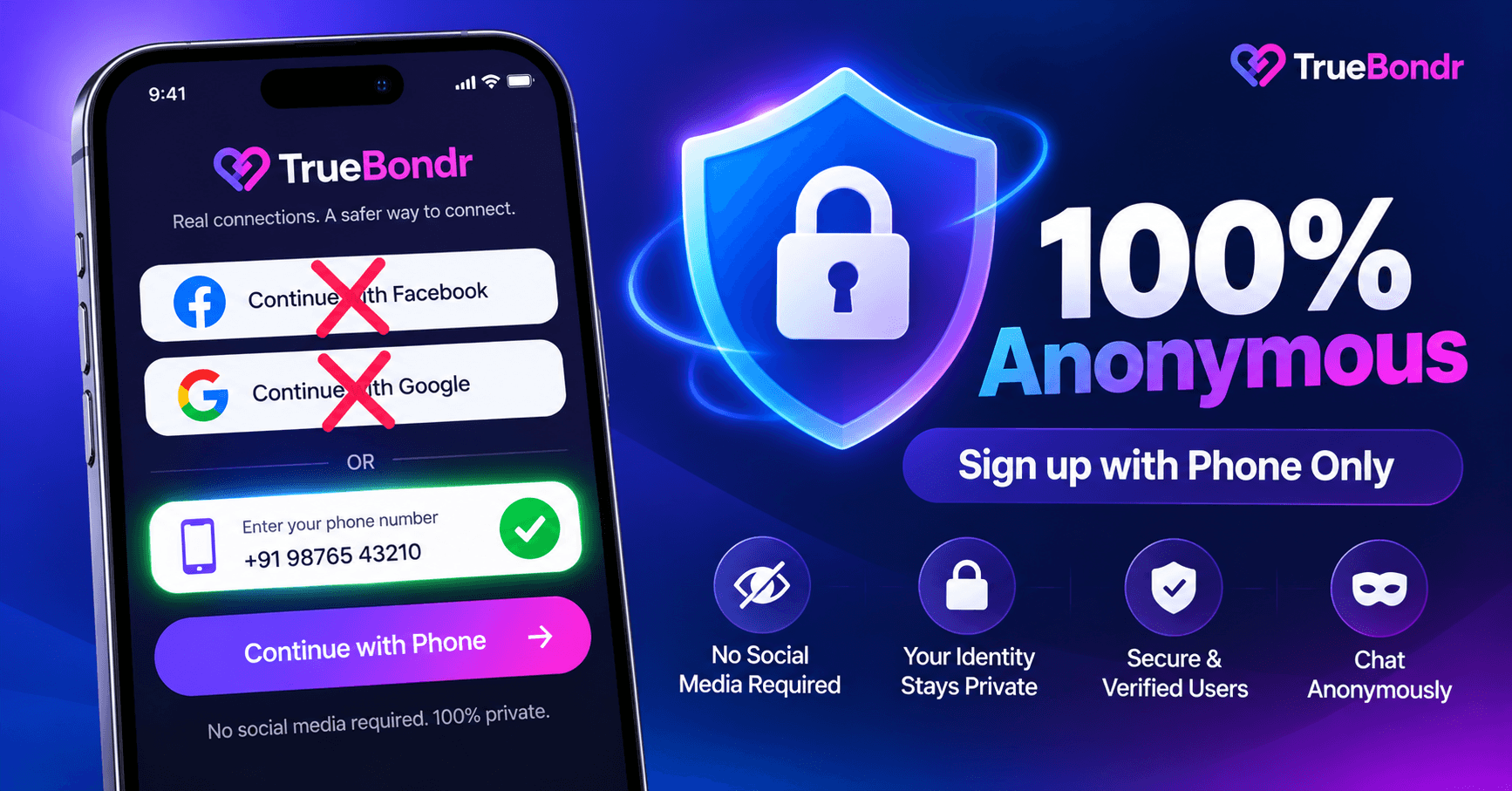
1. Phone Number Sign-Up Only
No Facebook. No Google. No Instagram.
Just your phone number. TrueBondr verifies it's real (via OTP), but doesn't link it to your social media.
Result: Your dating profile is completely separate from your online identity.2. Hide from Facebook Friends
TrueBondr can access your Facebook friends list (if you give permission) and hide you from those people.
How it works:- You optionally grant Facebook access
- TrueBondr pulls your friends list
- Your profile never shows up when those people are browsing
- You never show up in their feed
Result: Date without worrying about friends seeing you.3. Block Specific People
If there's someone you absolutely don't want to see you (ex, colleague, neighbor), you can block them preemptively.
How it works:- Add their phone number to your block list
- If they're on TrueBondr, they'll never see your profile
- You won't see theirs either
Result: Total control over who sees you.4. Private Photos (Coming Soon)
Feature in development: Private photos that only matches can see.
How it will work:- You set some photos as "private"
- Only people you match with can view them
- Everyone else sees your public photos
Result: Show your face to matches, stay semi-anonymous to everyone else.5. No Activity Status
TrueBondr doesn't show "last seen" or "online now" indicators.
Why it matters: On apps that show activity status, people can infer your routine (when you're online, when you're active). TrueBondr keeps this private.Frequently Asked Questions
Q: If I sign up with my phone number, can people still find me?A: Only if they have your exact phone number AND you haven't blocked them. Random people browsing the app won't know your phone number — they'll only see your photos, name (which you can abbreviate), and bio.
Q: Can TrueBondr see my contacts?A: No. TrueBondr only asks for phone number to verify you're real. It doesn't access your contacts, call logs, or messages.
Q: What if someone screenshots my profile?A: Unfortunately, no app can prevent screenshots. That's why you should:
- Use photos you're okay with being seen
- Don't reveal sensitive information in your bio
- Be selective about who you match with
Q: Can I use TrueBondr without any photos?A: No. Photos are required for profile verification (confirms you're real, not a bot). But you can use photos that don't appear on your social media.
Q: Is phone number verification safe?A: Yes. Your phone number is used for verification (via OTP), not shown to other users. Only people you match with can message you, and even then, they don't see your phone number — they message through the app.
Q: What if I want to delete my account later?A: You can delete your TrueBondr account anytime from settings. All your data (photos, messages, matches) is permanently deleted. Unlike some apps, TrueBondr doesn't keep "ghost" profiles after deletion.
Comparison: Privacy on Different Dating Apps
| App | Sign-Up Method | Privacy Controls | Hidden from Friends? | Activity Status |
|-----|----------------|------------------|---------------------|-----------------|
| TrueBondr | Phone only | Excellent | ✅ Yes | ⌠Hidden |
| OkCupid | Phone/Email | Good | Limited | ✅ Shows |
| Aisle | Phone only | Good | Limited | ✅ Shows |
| Hinge | Pushes Facebook | Weak | ⌠No | ✅ Shows |
| Bumble | Pushes Facebook | Weak | ⌠No | ✅ Shows |
| Tinder | Forces Facebook | Weak | ⌠No | ✅ Shows |
Winner: TrueBondr for comprehensive privacy controls.The Bottom Line
If privacy is important to you (and it should be), here's what to do:
Choose Apps That:
- Let you sign up with phone number only (no social media)
- Let you hide from specific people
- Don't show activity status
- Give you control over who sees you
Top choice: TrueBondr (phone sign-up, hide from friends, block specific people, no activity status shown)Protect Yourself By:
- Using photos not on social media
- Not revealing your full name immediately
- Being vague about workplace
- Using in-app messaging before WhatsApp
- Meeting in public for first dates
Remember:
Dating should be private. You're allowed to explore relationships without your entire social network knowing about it.
Apps that force Facebook login or expose your dating life to friends are not respecting your privacy.
Choose apps that put you in control.
Download TrueBondr - Private, Anonymous Dating👉 Get TrueBondr Free on Play Store
✅ Phone number sign-up only (no Facebook/Google)
✅ Hide from Facebook friends
✅ Block specific people
✅ No activity status shown
✅ 100% free
Date on your terms. Privacy guaranteed.
Related Articles:- Safest Dating Apps for Women India 2027